Communication / In development

Emergency, SOS & Muster

Record company incidents, route them to authorized supervisors and track response, muster and escalation from one dashboard.
Customer Super AdminEmergency SupervisorAuthorized RespondersField Staff

What it is designed to manage

  • Company-scoped incident creation and recipient inbox
  • Separate incident view, response and muster permissions
  • Acknowledgement and resolution workflows
  • Muster / headcount recording and summary
  • Five-minute escalation of eligible open incidents
  • Visible-page dashboard refresh every 30 seconds with stale-data warning
  • Planned push, SMS and audible alert integrations
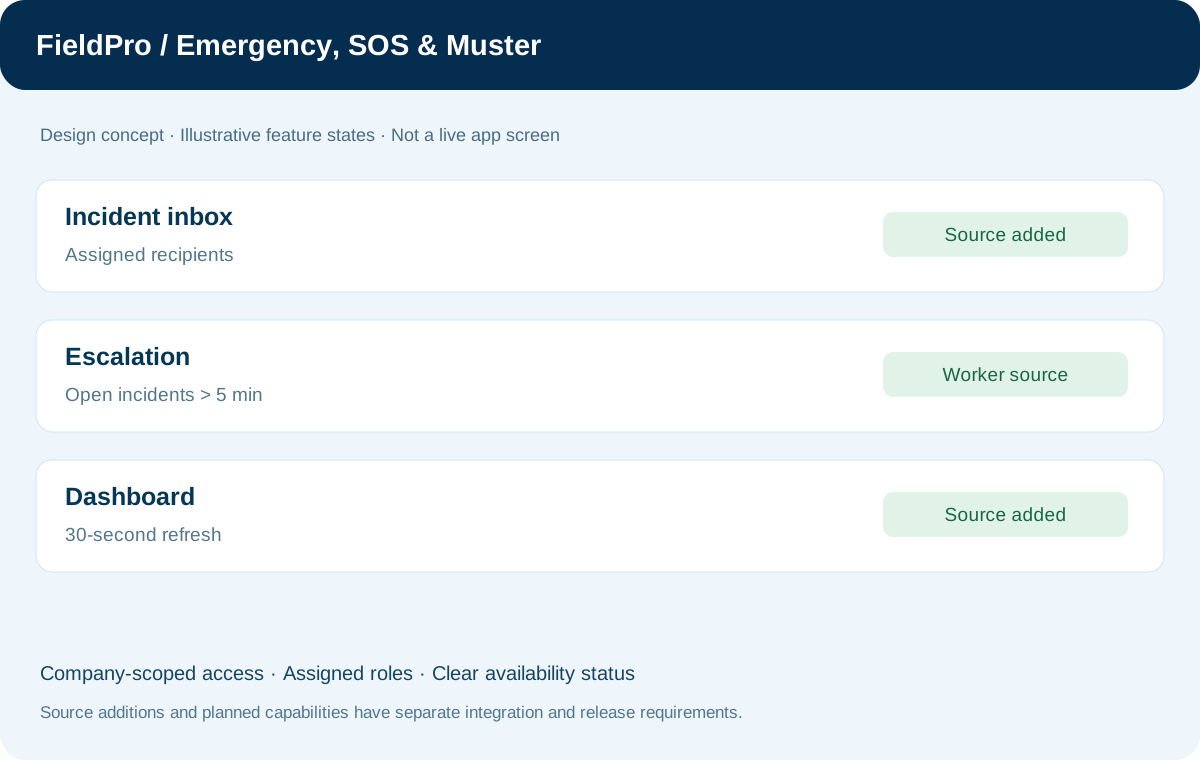
FieldPro Emergency, SOS & Muster design concept
Design concept with sample records; not a live ERP screenshot.
Incident, inbox, access controls, escalation worker and polling are source-code additions. Cron setup and integration remain pending. Polling and database inbox entries do not provide guaranteed emergency delivery. Push, SMS, siren and external emergency dispatch are not implemented.
Feature-by-feature availability

What is in source, planned or awaiting integration.

  • Incident and database inboxSource added

    Incident creation queues recipient-specific inbox entries for eligible active company admins and supervisors.

  • Supervisor emergency permissionsSource added

    Separate view/respond/muster grants and revocation; acknowledgement and resolution require response permission.

  • Muster / headcountSource added

    Authorized headcount recording and summary routes exist in source.

  • Five-minute escalation workerSource added / setup required

    CLI worker queues eligible open non-drill incidents, with duplicate prevention and transaction locking. Cron activation remains pending.

  • Emergency dashboard and pollingSource added

    Company inbox and incident details refresh every 30 seconds while visible; stale warnings and last-check time are displayed.

  • Push, SMS, siren and external dispatchPlanned / integration required

    These delivery channels are not implemented; database polling is a best-effort status view.

Permissions & security requirements.

  • View, respond and muster rights are assigned separately within the verified company.
  • Only eligible active company recipients receive inbox entries; delegation cannot grant further delegation.
  • Escalation excludes drills and non-open incidents; duplicate recipient alerts are prevented in the intended database workflow.

Related role applications.

Module access follows assigned rights. Application package releases and live connections are separate.

A practical view of the process

How the work moves.

01

Create an authorized incident

02

Queue eligible company-recipient inbox entries

03

Authorized supervisor acknowledges and coordinates response

04

Record muster / headcount and incident updates

05

Escalation worker reviews eligible open incidents after five minutes

06

Resolve the incident through the assigned permission

Information coming in

  • Company incident details
  • Active company membership and emergency permissions
  • Authorized recipient rules
  • Muster / headcount updates

Records & handoffs coming out

  • Recipient-specific incident inbox
  • Acknowledgement and resolution state
  • Muster summary
  • Escalation entries and dashboard status
Connected departments

Where this module connects.

In development. Release availability requires the relevant implementation, integration and validation work. The visual above is illustrative.

Start with your business

Map your teams.
Connect your workflow.

Explore the departments and handoffs that match your operation, then prepare a product enquiry around your company structure.